

Devices & setup
Combine Garmin, Apple Health, Oura and WHOOP data in one place — and analyse it with AI
To combine Garmin and Oura data (or Apple Health and WHOOP), a merged spreadsheet is not enough: every value should keep its source, duplicate workouts should be merged, and only then is it worth asking AI to summarise your trends.
Written by MoveVitals Editorial Collective
Community-authored educational content. Individual clinical review is identified only when a named review is actually recorded.
Editorial standards & corrections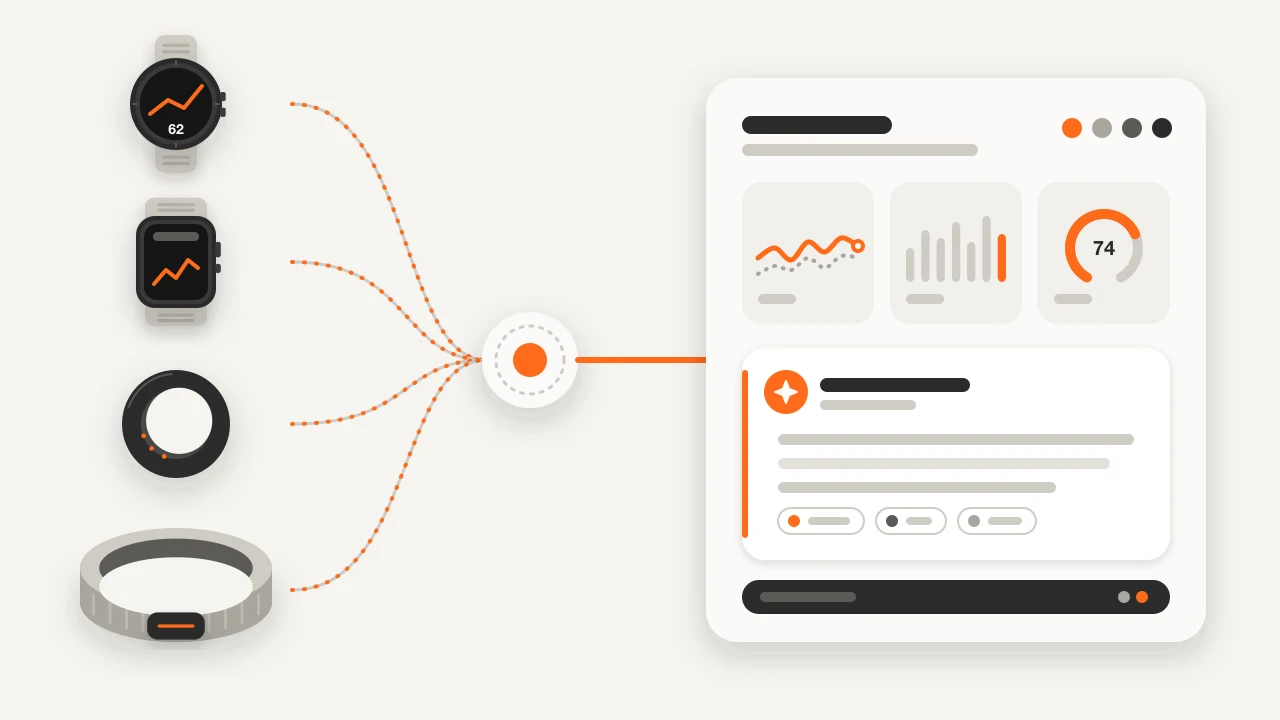
Key takeaways
- Devices disagree because they differ in sensor, wear location, time window and statistic: WHOOP and Oura report RMSSD, while Apple Health has historically stored SDNN.
- A good aggregator keeps each value with its provider and device, merges duplicate workouts without deleting the originals, and lets you pick a source per metric rather than averaging two algorithms.
- AI works well for summarising 7-, 30- and 90-day trends and drafting questions for a coach or clinician, but it cannot diagnose a condition or adjust medication.
- Share daily or weekly summaries with units and source rather than raw beat-to-beat files, and say which days are missing: a day without data is unknown, not zero.
- With chest pain, fainting or palpitations with dizziness, seek medical care instead of asking a model.
Why your devices disagree
A ring, a wrist band and a watch are three different instruments: each measures in a different place, over a different time window, then applies its own proprietary model. A few milliseconds of HRV or twenty minutes of deep sleep between two devices is normal.
| Source of difference | Example |
|---|---|
| Sensor and wear location | Finger versus wrist optical heart rate; wrist sensors can lag during intervals |
| Time window | HRV averaged over a whole night versus a few minutes of deep sleep |
| Statistic | WHOOP and Oura report RMSSD; Apple Health has historically stored SDNN |
| Algorithm | Sleep stages, calories, steps and VO2 max are estimates, each brand's own |
| Proprietary scores | Recovery, Readiness and Body Battery are different models, not one scale |
Validation studies generally find consumer wearables reasonable for resting heart rate and for telling sleep from wake, and weaker for sleep stages and for heart rate during intense or irregular movement. See wearable heart rate accuracy, sleep tracker accuracy and sleep scores compared.
Getting your data out of each platform
Menu names change, so check the vendor's help page for the current path.
| Platform | Typical route | What you get |
|---|---|---|
| Apple Health | Health app → profile picture → Export All Health Data (iPhone) | A zip with export.xml; all-or-nothing and often hundreds of MB |
| Garmin | Garmin Connect on the web → account settings → Export Your Data; single activities can be exported as FIT, TCX or GPX | An archive with original activity files and summaries; large requests can take a while |
| WHOOP | App → Data Export; a link to CSV files arrives by email | Cycles (recovery, HRV, strain), sleeps, workouts and journal entries; daily summaries, not beat-to-beat data |
| Oura | Membership Hub → Export data → Request your data, or the web dashboard's download for selected metrics | Files of daily and sleep metrics; the full request may take days |
Exports are snapshots with different columns and units, so treat them as backups rather than a live dashboard, and store them carefully: they contain sensitive health information.
What a good aggregator does
- Keeps provenance. Each value stays with its provider, original device and time window, so you can always see where a number came from.
- Merges duplicate workouts that arrive from two platforms, without deleting the originals.
- Lets you pick a source per metric instead of averaging two algorithms into a number neither device measured.
- Keeps different metrics apart: RMSSD and SDNN, or WHOOP Recovery, Oura Readiness and Garmin Body Battery, are never merged or converted.
A spreadsheet does none of this; double-counted steps and workouts are the classic symptom. Details: how MoveVitals handles multiple devices.
Using AI on health data: what works and what does not
"Can ChatGPT analyze Apple Health data?" is a fair question: a model reads weeks of numbers faster than you can scroll charts. It can summarise 30 days against the previous 30, point to nights that look different and turn that into questions for a coach or doctor. At the time of writing, some general-purpose assistants offer their own Apple Health connection (in the US, on iPhone), and availability changes quickly. The raw export.xml, however, is far too large and unlabelled to paste into a chat.
| Works well | Does not work |
|---|---|
| Summarising 7-, 30- and 90-day trends with dates and values | Diagnosing a condition or judging whether a symptom is serious |
| Spotting changes that move together (sleep, resting heart rate, load) | Explaining why: correlation is not causation |
| Drafting questions for your coach or clinician | Adjusting medication, supplements or treatment |
| Explaining what a metric means | Comparing proprietary scores across brands, or pooling RMSSD with SDNN |
Safer habits:
- Share summaries (daily or weekly values with units and source), not raw beat-to-beat files.
- Say which days are missing: a day without data is unknown, not zero.
- Know where the data goes. A consumer chat service has its own privacy and retention settings; an API key you control follows that provider's terms.
- With chest pain, fainting or palpitations with dizziness, seek medical care instead of asking a model. If numbers start to cause anxiety, read using health data without obsession.
In MoveVitals
MoveVitals is a free, open-source (AGPL-3.0) hub built around the steps above:
- Connected through official APIs: WHOOP, Oura, Strava, Polar, COROS, Withings, Concept2 and Dexcom, plus Garmin, Suunto and Wahoo on the hosted version only. Those adapters are not in the open-source export.
- Apple Health is not a direct connection yet. Reading it needs the MoveVitals iOS app, which is still in development. Today, Apple Watch workouts that are in Strava can arrive through the Strava connection; Apple sleep, HRV and resting heart rate cannot. See the Apple Health guide.
- What it keeps and merges: every value with provider, device, time window and raw payload; duplicate workouts from different providers grouped into one; a source priority per metric; a conflict flag when sources differ beyond a metric's tolerance (10% for HRV). It shows what each platform's API exposes, not every score on the watch face.
- Optional AI with your own key: Anthropic Claude or an OpenAI-compatible model (OpenAI, DeepSeek, Qwen; self-hosted instances can opt in to local models). You choose which sources the model may see, and separately whether it sees your profile, workout titles and lab results. A preview shows what is shared: up to 365 days of daily trends plus recent readings. Strava data is excluded by default because its API terms restrict AI use. Reviews are wellness guidance, not diagnoses.
- Portability: your account data can be exported as JSON.
Worked example
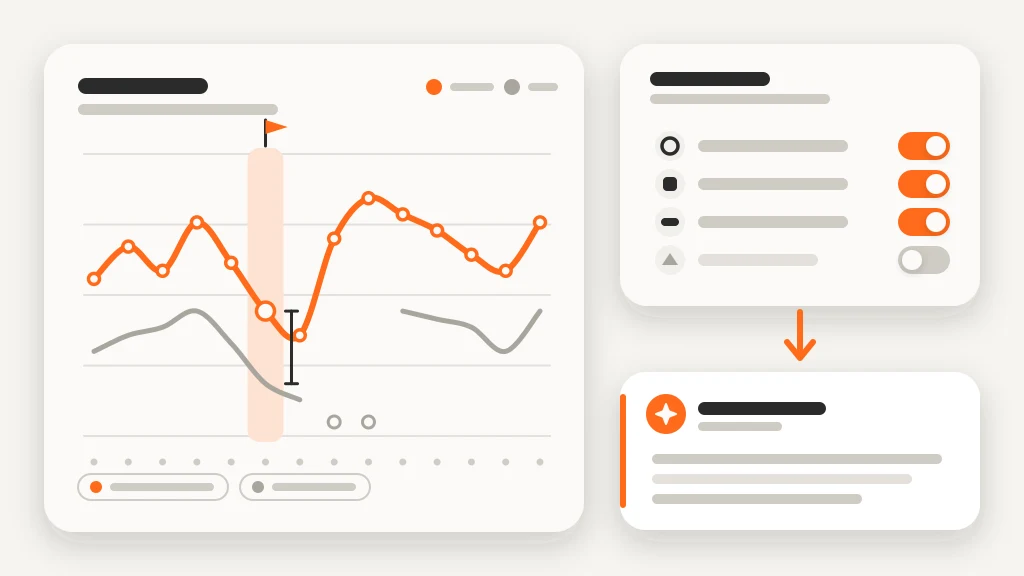
Illustrative scenario. Mira wears an Oura ring at night, a Garmin watch for runs and uses Strava. She connects Oura and Garmin and ranks Oura first for HRV and sleep. One night Oura shows an HRV of 61 ms and Garmin 48 ms. MoveVitals shows Oura's value, keeps both and flags a gap of about 21% of the selected value, above the 10% tolerance for HRV. She then connects her own AI key, allows Oura and Garmin, leaves Strava off and asks for the last 30 days compared with the previous 30. The answer: average sleep 6 h 52 min versus 7 h 18 min, resting heart rate 55 versus 53 bpm, with 24 of 30 nights recorded and six treated as unknown. It cannot say why, and suggests an earlier bedtime on weeknights and a recheck in two weeks. Numbers are illustrative.
Action steps
- List what each device is for (night, workouts, scale) and keep one source per metric.
- Connect the devices you wear in MoveVitals and set source priorities for HRV, sleep and steps.
- Export a backup from each platform and store the files securely.
- Before using any AI, decide what it may see: choose sources, leave out what you do not need, share summaries rather than raw files.
- Ask the model for dates, values and limitations, check two numbers yourself, and bring questions rather than conclusions to your coach or clinician.
Related guides
- How MoveVitals handles multiple devices: provenance, duplicates and conflicts
- Apple Health and Apple Watch: current MoveVitals options
- Garmin Connect and MoveVitals: activities, health and Body Battery
- Your personal baseline: why "normal for you" beats population averages
FAQ
Can ChatGPT analyse Apple Health data? Partly. Some assistants offer an Apple Health connection (US, iPhone, changing quickly), or you can paste summaries yourself. Check the privacy settings, share only what you need and treat the answer as a prompt for questions, not a diagnosis.
What if two devices record the same run? Records from different providers (for example Garmin directly and Strava) are grouped. Two copies that both arrive through Strava are the same provider and are not grouped automatically, so record each session on one device.
Do I have to use AI to combine my data? No. Connecting devices, merging duplicates and choosing sources work without it; the AI layer is optional and needs your own key.
References
- Miller et al. (2022). A Validation of Six Wearable Devices for Estimating Sleep, Heart Rate and Heart Rate Variability in Healthy Adults. Sensors. https://doi.org/10.3390/s22166317
- Bent et al. (2020). Investigating sources of inaccuracy in wearable optical heart rate sensors. npj Digital Medicine. https://doi.org/10.1038/s41746-020-0226-6
- Chinoy et al. (2021). Performance of seven consumer sleep-tracking devices compared with polysomnography. Sleep. https://doi.org/10.1093/sleep/zsaa291
- Shaffer et al. (2017). An Overview of Heart Rate Variability Metrics and Norms. Frontiers in Public Health. https://doi.org/10.3389/fpubh.2017.00258
- Oura. Export & Share Your Oura Data. https://support.ouraring.com/hc/en-us/articles/360025441594
For general information only. This is not medical advice — talk to a qualified professional about your health.
Keep reading
Devices & setup
How MoveVitals handles multiple devices: provenance, duplicates and conflicts
5 min read
Metrics explained
Normal heart rate variability (HRV) by age: RMSSD vs SDNN
6 min read
Metrics explained
Resting heart rate: normal ranges and what changes it
4 min read
Metrics explained
Blood oxygen (SpO2): what wearables measure and when to worry
4 min read
Metrics explained
Respiratory rate during sleep: a quiet early-warning signal
3 min read
Recovery & sleep
Sleep hygiene: evidence-based habits for better sleep
4 min read