

Devices & setup
How accurate is wrist heart rate? Optical sensors vs chest straps, by sport
Wrist optical heart rate is generally accurate in steady running and easy cycling, but less reliable in intervals, strength training, rowing and swimming. Here is how each sensor works, where it fails and how to test yours.
Written by MoveVitals Editorial Collective
Community-authored educational content. Individual clinical review is identified only when a named review is actually recorded.
Editorial standards & corrections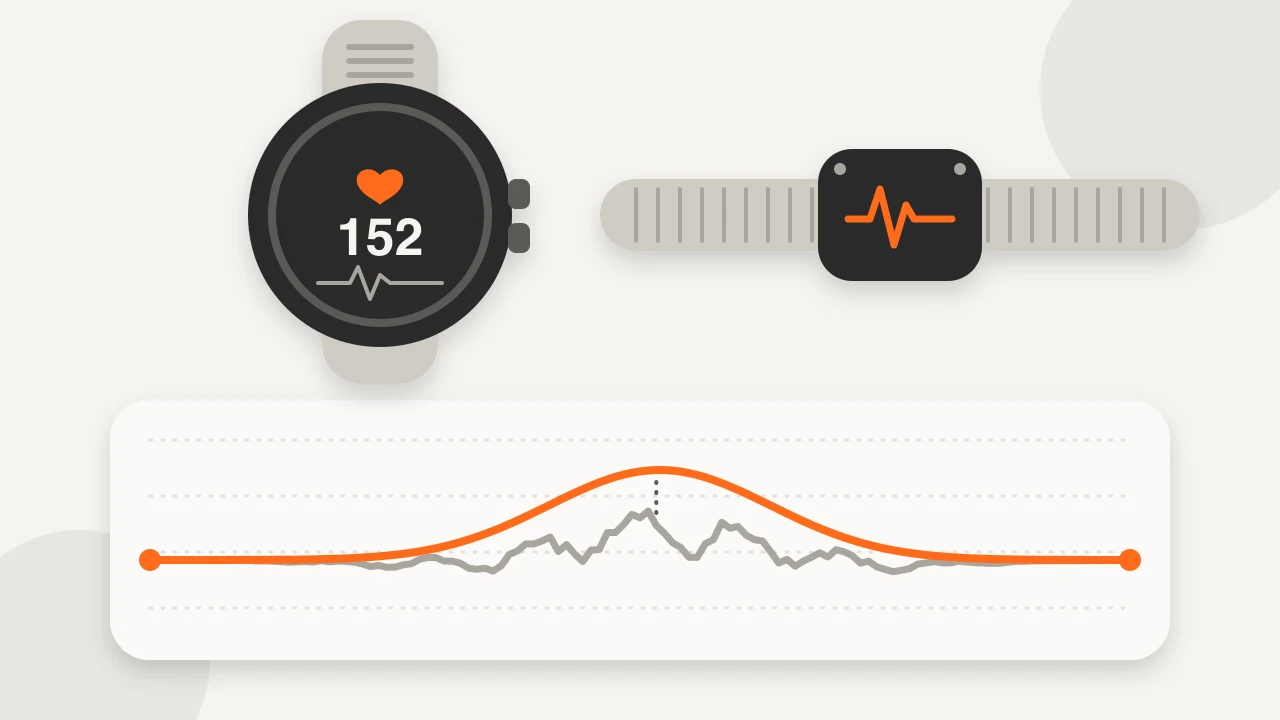
Key takeaways
- A chest strap reads the electrical signal of each heartbeat, while a wrist sensor reads light reflected by blood-volume changes in the skin.
- In a lab study of 50 adults, a chest strap agreed best with ECG, and on an elliptical with arm levers no device was accurate.
- Cadence lock makes the sensor follow your arm rhythm, so the reading tracks your step cadence (often 150–190) in the first minutes of a run.
- To test yours, record one 40-minute session on watch and chest strap: 10 minutes easy, six times 2 minutes hard with 2 minutes easy, then an easy finish.
- A reading far out of line with the effort, say 190 bpm on an easy jog, is far more often sensor error than your heart, but stop and seek medical care if you have symptoms.
How the two sensors work
| Wrist optical (PPG) | Chest strap (ECG) | |
|---|---|---|
| Measures | Light reflected by blood-volume changes in the skin | The electrical signal of each heartbeat |
| Strengths | Comfortable, always on, good at rest and in steady effort | Fast response, little affected by arm movement |
| Weak spots | Motion, loose fit, cold, lag on fast changes | Dry electrodes, strap fit, one more thing to wear |
Accuracy by sport
For chest strap vs wrist heart rate when running, steady paces are the easy case. Evidence grades: strong means repeated in several validation studies, moderate means some studies or consistent device-maker guidance, limited means mostly mechanism and user reports.
| Activity | Wrist optical | Chest strap | Evidence |
|---|---|---|---|
| Steady running, treadmill or road | Good | Excellent | Strong |
| Road cycling or trainer | Fair to good, varies by device | Excellent | Moderate |
| Intervals and HIIT | Fair: lags, can flatten peaks | Excellent | Moderate |
| Strength training | Poor to fair | Good | Limited |
| Rowing and ergs | Fair to poor | Good | Limited |
| Elliptical with arm levers, boxing, racket sports | Poor | Good | Moderate for arm levers, limited for the rest |
| Swimming | Poor to fair | Needs a swim-capable strap with memory | Limited |
| Resting and sleep | Good | Not needed | Moderate |
In a lab study of 50 adults, a chest strap agreed best with ECG. On the treadmill all but one of the wrist and forearm devices did well, on the bike only three of five did, and none was accurate on an elliptical with arm levers. In another study, absolute error during activity averaged about 30 % higher than at rest, and devices differed in how they handled changes in effort. A 60-person study of seven wrist watches found median heart-rate error below 5 % during cycling for six of them, yet none estimated energy expenditure with less than 20 % error. The devices tested were older models, so read this as a pattern, not a brand ranking.
Why optical sensors go wrong
Optical heart rate sensor accuracy depends on how clean the light signal is, and several things spoil it:
- Cadence lock. The sensor follows your rhythmic arm movement instead of your pulse, so the reading tracks your step cadence (often 150–190) in the first minutes of a run.
- Wrist flexion and grip. Handlebars, dumbbells, rowing handles and push-ups squeeze the wrist and disturb the signal.
- Fit. A loose watch lets light leak in and the skin slide. For workouts, wear it snug, about a finger's width above the wrist bone.
- Cold. Low skin blood flow weakens the pulse signal.
- Lag. Optical readings are averaged over several seconds, so they trail fast changes.
- Skin tone and tattoos. Dark pigment and ink can absorb the light. Evidence is mixed: one study found larger errors with darker skin, another found no significant difference by skin tone but clear differences between devices and activities. Fit and motion are the part you can control first.
How to test your own sensor
- Wear the watch snug on one wrist and a chest strap paired to something else (a phone app, a bike computer or a second watch), both recording the same session.
- Do one 40-minute session in three parts: 10 minutes easy, six times 2 minutes hard with 2 minutes easy, then an easy finish.
- Compare. In steady parts, averages within about 3–5 bpm are fine for zone work (a rule of thumb, not a standard). In the intervals, check how many seconds the wrist trace trails and whether peaks are flattened. In the first minutes, check whether the wrist number mirrors your cadence.
- Repeat once in your other main activity, such as lifting or cycling, and decide sport by sport.
Wrist heart rate vs chest strap: when to use which
Pick a chest strap for intervals, HIIT, rowing, lifting or racket sports when you will act on the numbers, for daily zone training or heart rate recovery, for cold weather, and for beat-to-beat data used in HRV. For the pool you need a swim-capable strap or armband that records to memory (see swimming heart rate). Optical armbands are a comfortable middle path, but they are still optical, so test them the same way. Strap care and fit are in the Polar H10 guide.
A reading far out of line with the effort (say 190 bpm on an easy jog) is far more often sensor error than your heart. But if you feel chest pain, faint, or have palpitations with dizziness, stop and seek medical care whatever the device shows: a workout heart-rate trace cannot diagnose a rhythm problem.
In MoveVitals
Heart rate arrives with each workout from Garmin, Polar, COROS, Suunto, WHOOP, Wahoo and Strava (Zwift rides and Apple Watch workouts come via Strava). A Polar H10 paired to your watch, bike computer or Zwift sends its heart rate through that platform. MoveVitals keeps every record with its source and original device, and groups the same workout from different providers when they overlap by at least 50 % of the shorter recording. The originals stay available, so you can compare a wrist recording with a strap recording. The heart rate shown for the combined workout follows your source priorities, and a chest strap is the example default for heart rate during workouts. Merging changes only MoveVitals' combined view; it never edits workouts in Garmin or Strava. See how MoveVitals resolves conflicts.
Worked example
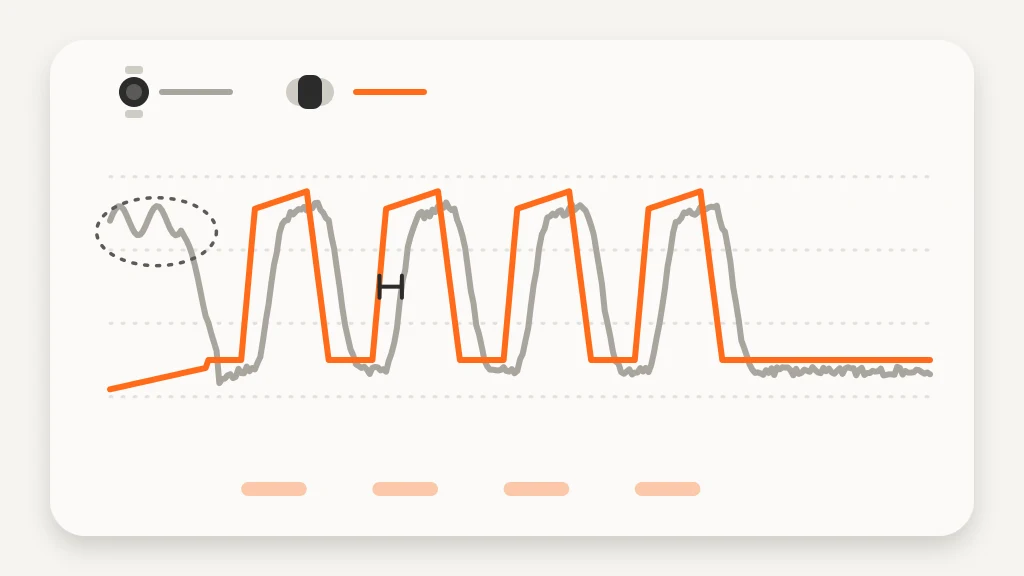
Illustrative scenario. Lena wants to know whether her watch is good enough for zone training. She wears it on her left wrist and a Polar H10 paired to her phone app, then runs 40 minutes: 10 easy, six times 2 minutes hard with 2 easy, and an easy finish. In the steady parts the watch averages 148 bpm against the strap's 146, close enough. In the first three minutes the watch shows about 171 bpm while the strap reads 128 and her cadence is 170 steps per minute, a classic cadence lock. In the intervals the strap climbs to 176–179 bpm within 25–30 seconds, while the watch trails by roughly 20–30 seconds and tops out at 168–173. Her conclusion: trust the watch for easy and long runs after the first few minutes, and use the strap on interval days. Figures are illustrative.
Action steps
- For workouts, wear the watch snug a finger's width above the wrist bone and warm up a few minutes before trusting the number.
- Run the one-session test against a chest strap.
- Note which sports need the strap: usually intervals, strength, rowing, cold weather and swimming.
- Pair a strap, or a swim-capable strap or armband, for those sessions.
- Treat spikes that mirror your cadence as sensor error, but stop and seek medical care if you have symptoms.
Related guides
- Polar H10 chest strap with MoveVitals: accurate heart rate and HRV
- Heart rate zones explained: how to set and use them
- How MoveVitals handles multiple devices: provenance, duplicates and conflicts
- Normal heart rate variability (HRV) by age: RMSSD vs SDNN
- Heart rate in swimming: why it runs lower, zones in the pool and wrist-sensor accuracy
- CrossFit and functional fitness: heart rate, WODs and wearable accuracy
- Ice and inline skating: heart rate, calories and speed skating training
FAQ
Is Apple Watch or Garmin heart rate accurate? Apple Watch heart rate accuracy and Garmin heart rate accuracy follow the same pattern as other brands. In lab comparisons, wrist watches from major brands generally tracked steady treadmill and cycling work well. All optical sensors are less reliable in intervals, strength work and water, and results vary by model and fit.
Chest strap or wrist: which is more accurate? Chest straps are generally more accurate, especially when heart rate changes fast or the wrist moves a lot. In one study the strap matched ECG almost perfectly while wrist devices ranged from good to poor.
Why does my watch show a very high heart rate at the start of a run? Usually cadence lock: the sensor reads your step rhythm instead of your pulse. It often settles after a few minutes; a strap avoids it.
Do skin tone and tattoos affect optical heart rate? They may: dark pigment and ink can absorb the light, though studies disagree on how much. If the sensor sits on a dense tattoo, try the other wrist or a strap.
What can I do if my watch heart rate is wrong? Tighten the band, move it up the arm, warm up first, try the other wrist, and use a chest strap or armband for key sessions.
References
- Gillinov et al. (2017). Variable Accuracy of Wearable Heart Rate Monitors during Aerobic Exercise. Medicine & Science in Sports & Exercise. https://doi.org/10.1249/MSS.0000000000001284
- Bent et al. (2020). Investigating sources of inaccuracy in wearable optical heart rate sensors. npj Digital Medicine. https://doi.org/10.1038/s41746-020-0226-6
- Shcherbina et al. (2017). Accuracy in Wrist-Worn, Sensor-Based Measurements of Heart Rate and Energy Expenditure in a Diverse Cohort. Journal of Personalized Medicine. https://doi.org/10.3390/jpm7020003
For general information only. This is not medical advice — talk to a qualified professional about your health.
Keep reading
Metrics explained
Heart rate zones explained: how to set and use them
4 min read
Training science
Zone 2 training: the science and how to do it right
4 min read
Metrics explained
Resting heart rate: normal ranges and what changes it
4 min read
Metrics explained
VO2 max: what it means and how to improve it
4 min read
Sports
Trail running with a watch: heart rate, climbs and pacing by effort
7 min read
Devices & setup
How MoveVitals handles multiple devices: provenance, duplicates and conflicts
5 min read