

Devices & setup
How MoveVitals handles multiple devices: provenance, duplicates and conflicts
When a ring, a watch, a strap and an app all record your day, MoveVitals keeps every value with its source, removes duplicate workouts and lets you decide which device wins for each metric.
Written by MoveVitals Editorial Collective
Community-authored educational content. Individual clinical review is identified only when a named review is actually recorded.
Editorial standards & corrections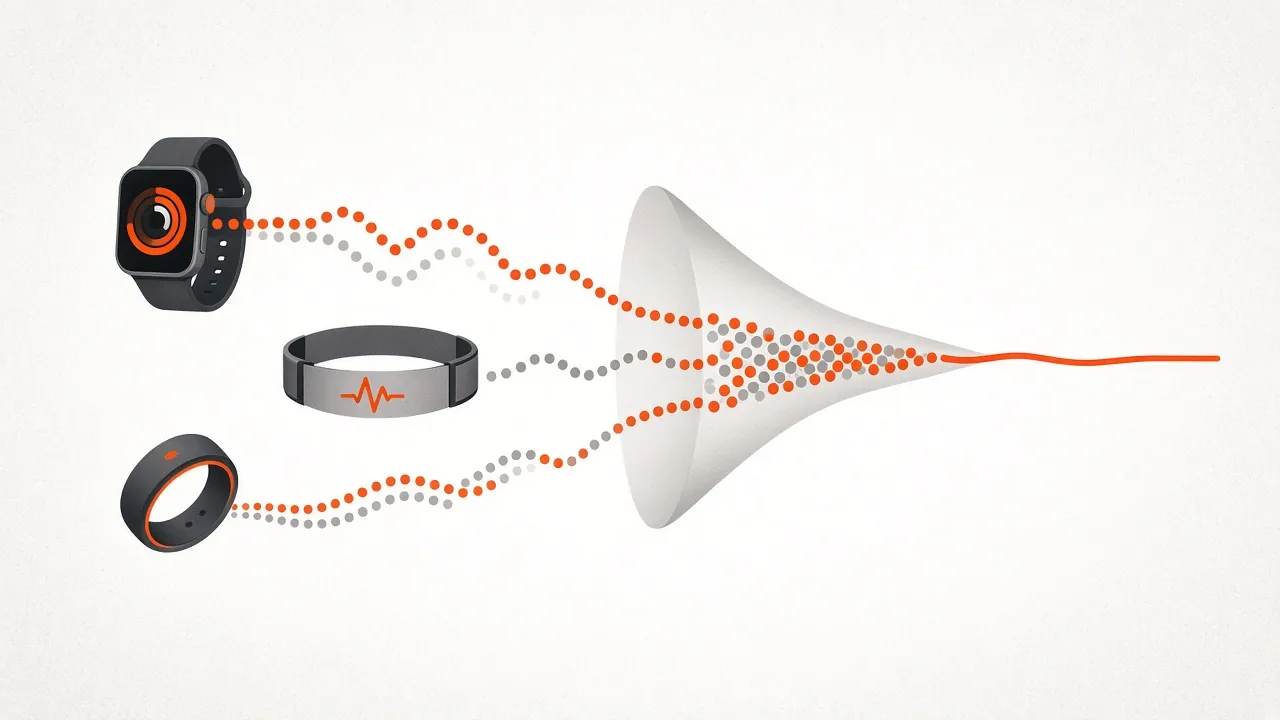
Key takeaways
- MoveVitals selects a value by your source priority rather than averaging: with Oura at 52 ms ranked above Garmin at 45 ms, the result is 52 ms, not the 48.5 ms average.
- Averaging two different algorithms produces a number neither device measured, and both candidates remain inspectable when sources differ.
- Lookalike metrics are never mixed: Apple stores HRV as SDNN while most others use RMSSD, and WHOOP Recovery, Oura Readiness and Garmin Body Battery are different models.
- Rank sources for each metric in Settings, Priorities, for example a chest strap for workout heart rate and a smart scale for weight.
Most people's data is spread across several devices. A ring tracks sleep, a watch records runs, a chest strap measures heart rate, Strava collects everything again. Simply adding it all up produces doubled steps and duplicate workouts; picking one source throws data away. MoveVitals does neither.
1. Every value keeps its source
Each record is stored as it arrived — with the provider, the original device (for example "Zwift via Strava" or "Magene T600 via Strava") and the time window it covers. Nothing is overwritten. You can always see which device produced a number.
2. Duplicate workouts are merged
The same ride can arrive from Garmin and Strava. MoveVitals can group records from different providers when their sports are compatible and they overlap for at least 50% of the shorter recording. A workout you manually split out stays separate. Two records from the same provider are not automatically grouped by this rule.
The group retains the original activities and selects fields according to your priorities. For example, heart rate and power can come from different records. This changes MoveVitals’ combined view; it does not delete or edit the original workouts in Garmin or Strava.
3. Daily metrics follow your priorities
For each metric — HRV, resting heart rate, steps, sleep, weight… — you can rank sources in Settings → Priorities. Sensible defaults apply until you do:
| Metric | Default preference (example) |
|---|---|
| HRV, recovery | Dedicated recovery wearables (WHOOP, Oura) |
| Sleep | Ring or band worn overnight |
| Steps | Device worn all day |
| Weight, body composition | Smart scale (Withings, Garmin Index) |
| Heart rate during workouts | Chest strap (Polar H10) |
When sources differ, both candidates remain inspectable. A conflict flag appears only when their relative spread exceeds that metric’s tolerance; every difference is not automatically flagged.
4. Different metrics are never mixed
Some values look alike but aren't: Apple stores HRV as SDNN, most others as RMSSD; WHOOP Recovery, Oura Readiness and Garmin Body Battery are different models. MoveVitals keeps them as separate metrics instead of averaging apples and oranges.
5. Time zones are respected
Each record keeps its local time zone, so sleep after a long-haul flight lands on the right day — see jet lag and travel.
Follow one HRV source decision
These are synthetic inputs demonstrating the current resolver, not a clinical comparison or measurements from a real user.
| Same-day HRV (RMSSD) | Source value |
|---|---|
| Oura | 52 ms |
| Garmin | 45 ms |
| Selected value with Oura ranked first | 52 ms |
- Select a source. Oura’s priority selects 52 ms; the result is not the 48.5 ms average.
- Check the flag separately. Relative spread is
(largest − smallest) / absolute selected value:(52 − 45) / 52 ≈ 13.5%. The current RMSSD tolerance is 10%, so this case is flagged. - Inspect the alternatives. If you choose Garmin for that day, the value becomes 45 ms and both candidates remain. The flag still applies; changing the selected source does not establish which device is clinically correct.
- Check a smaller difference. With Oura at 52 ms and Garmin at 47 ms, spread is about 9.6%. Both values remain available, but the 10% flag is not triggered. A missing flag is not proof of accuracy or health.
Other metrics use different tolerances. The open-source page links to the implementation; these thresholds are software settings, not clinical reference limits.
Worked example
Illustrative scenario with synthetic values. Lena ranks Oura first for HRV. Oura reports RMSSD of 52 ms and Garmin 45 ms for the same day. MoveVitals selects Oura’s 52 ms, retains both records and flags their 13.5% relative spread. A 90-minute ride also arrives from Garmin, Wahoo and Strava with compatible sports and overlapping times; the records are grouped into one activity for the combined view, without deleting any source workout.

Action steps
- Connect every device you actually wear and use.
- Open Settings → Priorities and rank sources for HRV, sleep, steps and weight.
- Check one week of activity groups to confirm duplicates are merged correctly.
- Open any flagged conflict and compare the raw values before changing priorities.
- Keep one source per metric for trend comparisons over time.
Related guides
- Strava and MoveVitals: workouts, streams and devices that arrive via Strava
- Garmin Connect and MoveVitals: activities, health and Body Battery
- Oura Ring and MoveVitals: sleep, readiness and temperature in one place
- Your personal baseline: why "normal for you" beats population averages
- Combine Garmin, Apple Health, Oura and WHOOP data in one place — and analyse it with AI
- How accurate is wrist heart rate? Optical sensors vs chest straps, by sport
FAQ
Why don't you just average the devices? Averaging two different algorithms produces a number neither device measured. Ranking keeps values real and explainable.
Can I change priorities later? Yes. History is recalculated from the raw records.
Where does Strava fit? Strava is both a source and a relay: workouts from Zwift or Magene arrive via Strava with their original device preserved. COROS also connects directly (official COROS MCP); if it uploads to Strava too, the two copies are merged.
Why do two devices show different HRV? They measure at different times, with different sensors and algorithms (RMSSD vs SDNN), so a few milliseconds' difference is normal.
Will removing a device delete its history? Raw records stay stored with their source; priorities only decide what the dashboard shows.
References
- Miller et al. (2022). A Validation of Six Wearable Devices for Estimating Sleep, Heart Rate and Heart Rate Variability in Healthy Adults. Sensors. https://doi.org/10.3390/s22166317
- Bent et al. (2020). Investigating sources of inaccuracy in wearable optical heart rate sensors. npj Digital Medicine. https://doi.org/10.1038/s41746-020-0226-6
- Shaffer et al. (2017). An Overview of Heart Rate Variability Metrics and Norms. Frontiers in Public Health. https://doi.org/10.3389/fpubh.2017.00258
For general information only. This is not medical advice — talk to a qualified professional about your health.
Keep reading
Metrics explained
Normal heart rate variability (HRV) by age: RMSSD vs SDNN
6 min read
Metrics explained
Resting heart rate: normal ranges and what changes it
4 min read
Devices & setup
WHOOP and MoveVitals: what syncs and how to get the most from it
3 min read
Recovery & sleep
Sleep hygiene: evidence-based habits for better sleep
4 min read
Devices & setup
Oura Ring and MoveVitals: sleep, readiness and temperature in one place
3 min read
Recovery & sleep
Alcohol, HRV and sleep: what your wearable shows the night after
3 min read