

Metrics explained
Apple Watch recovery and readiness: Vitals, Training Load, Sleep Score and the Readiness app
There is no single Apple Watch recovery score on most models: Vitals, Training Load and Sleep Score are separate pieces you combine yourself, and the new Readiness app exists only on the newest watches.
Written by MoveVitals Editorial Collective
Community-authored educational content. Individual clinical review is identified only when a named review is actually recorded.
Editorial standards & corrections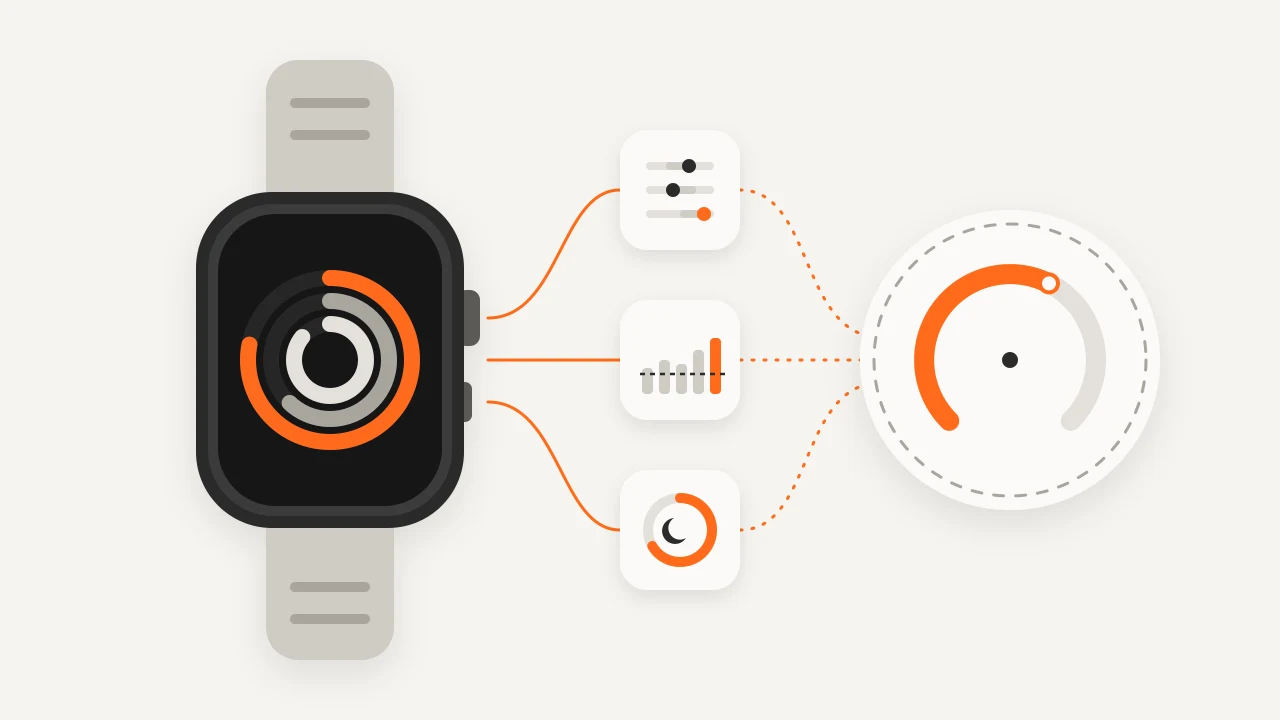
Key takeaways
- Readiness, a daily 0–10 score added in watchOS 27, is limited by Apple to Apple Watch Series 12 and Ultra 4.
- Training Load compares your last 7 days of workouts with the previous 28, using an effort rating from 1 to 10 for each workout.
- Sleep Score rates last night from 0 to 100: duration up to 50 points, bedtime consistency up to 30 and interruptions up to 20.
- Without Readiness, act only when two or more signals shift together, and keep that day easy.
- None of these features diagnoses anything: for chest pain, fainting, or palpitations with dizziness, seek medical care rather than checking the watch.
People ask the Apple Watch for the numbers they know from WHOOP, Oura or Garmin: a recovery score, a readiness score, a Body Battery. What Apple built is different: building blocks that compare you with your own recent history. This guide follows Apple's documentation for watchOS 27 as of November 2026. Apple renames and extends these features often, so check its support pages for your model.
What Apple Watch actually gives you
| Feature | What it shows | Needs |
|---|---|---|
| Vitals | Overnight heart rate, respiratory rate, blood oxygen, wrist temperature and sleep duration against your typical range; HRV on Series 12 and Ultra 4 | Sleep tracking on and the watch worn to bed for about a week; wrist temperature needs Series 8 or later, or an Ultra |
| Training Load | Your last 7 days of workouts compared with the previous 28, from "well below" to "well above" | An effort rating for each workout (estimated, and you can change it) |
| Sleep Score | 0–100 for last night: duration (up to 50 points), bedtime consistency (up to 30), interruptions (up to 20) | Sleep tracking on |
| Cardio Fitness, Cardio Recovery | A VO2 max estimate and how fast heart rate falls after a workout | Mainly outdoor walks, runs and hikes for the VO2 max estimate |
| Readiness | A daily 0–10 score with four labels | Apple Watch Series 12 or Ultra 4 with watchOS 27 |
Vitals: overnight ranges, not a score
Vitals does not reduce the night to one number. After roughly a week of wearing the watch to sleep, Apple establishes a typical range for each metric and shows whether last night sat high, typical or low. If several metrics fall outside their range, you get a notification the next morning that lists possible factors such as illness, alcohol, medication or a change in altitude.
The useful signal is several metrics moving together: resting heart rate up, respiratory rate up and wrist temperature up is a stronger hint than any one of them alone. A single odd value is often a loose strap or a late night. Apple states that Vitals is for wellness, not medical use.
On Series 12 and Ultra 4, Apple adds HRV and a daytime view. Apple Health has historically reported HRV as SDNN, a different calculation from the RMSSD values many other wearables show. Compare trends within one device and read the HRV guide before putting two brands side by side.
Training Load: what you did, not how you coped
Apple asks (or estimates) an effort rating from 1 to 10 for each workout, then compares your last 7 days of training with the previous 28 days. It tells you whether this week is heavier or lighter than your recent norm, which is the same idea as the acute and chronic load in training load.
Two limits matter. The automatic effort estimate is coarse, especially for sports where wrist heart rate misses the work (strength training, racket sports), so rate those sessions yourself. And load says nothing about sleep, illness or stress. A "well above" week is a prompt to look at sleep and Vitals, not a verdict.
Readiness: the new daily score and who gets it
watchOS 27 adds a Readiness app. It gives a daily score from 0 to 10 in four bands: Recover (0–1), Pace Yourself (2–4), Ready (5–7) and Go For It (8–10). The score combines recent activity (active calories, effort ratings, Training Load), Vitals against your baseline and your recent Sleep Score, updates through the day and shows what is driving it.
Apple limits Readiness to Apple Watch Series 12 and Ultra 4. Older watches can run watchOS 27 but do not get the app. To receive a score you need height, weight and age entered, Activity set up, and about a week of nights with the watch worn to sleep. Apple notes that the score does not account for conditions or medications and should not be the only basis for deciding whether exercise is safe.
It is a different model from WHOOP Recovery or Oura Readiness, and it is not an energy meter like Body Battery. Do not compare numbers across brands.
Reading the signals together
If your watch has no Readiness app, a short routine does most of the job:
| Signal | Where | What to look for |
|---|---|---|
| Overnight heart rate | Vitals, Health app | Above your typical range for two or more nights |
| Respiratory rate, wrist temperature | Vitals | Both up alongside heart rate: an early hint of illness or heavy fatigue |
| HRV (newer models) | Vitals, Health app | The trend over one to two weeks, not one night |
| Sleep Score | Sleep app | Several nights below your own usual range |
| Training Load | Activity app | "Above" or "well above" for two weeks running |
When two or three signals line up, take an easier day. When only one is off, carry on and check again tomorrow. This is what a personal baseline is for.
Common mistakes
- Expecting a score your model does not have. Readiness is tied to the newest hardware, not a software update.
- Comparing Apple HRV with WHOOP or Oura values. Different calculations; compare trends only.
- Treating alerts as diagnoses. If you have chest pain, fainting, or palpitations with dizziness, seek medical care rather than checking the watch.
In MoveVitals
Today, Apple Watch workouts that appear in your Strava account can be imported through the Strava connection, so those sessions count toward load next to your other devices. That route does not carry Apple Health sleep, HRV, resting heart rate or Vitals. Direct Apple Health sync is planned and depends on a mobile app that is not publicly available; the Apple Health integration page shows current status. This guide does not claim that Apple's own Readiness, Training Load or Sleep Score values will be imported.
If you also use Oura, WHOOP or Garmin, their scores arrive through direct connections as separate metrics per source, never merged, so you can compare them with your own trend. See how MoveVitals handles multiple devices and Apple Health and Apple Watch.
Worked example
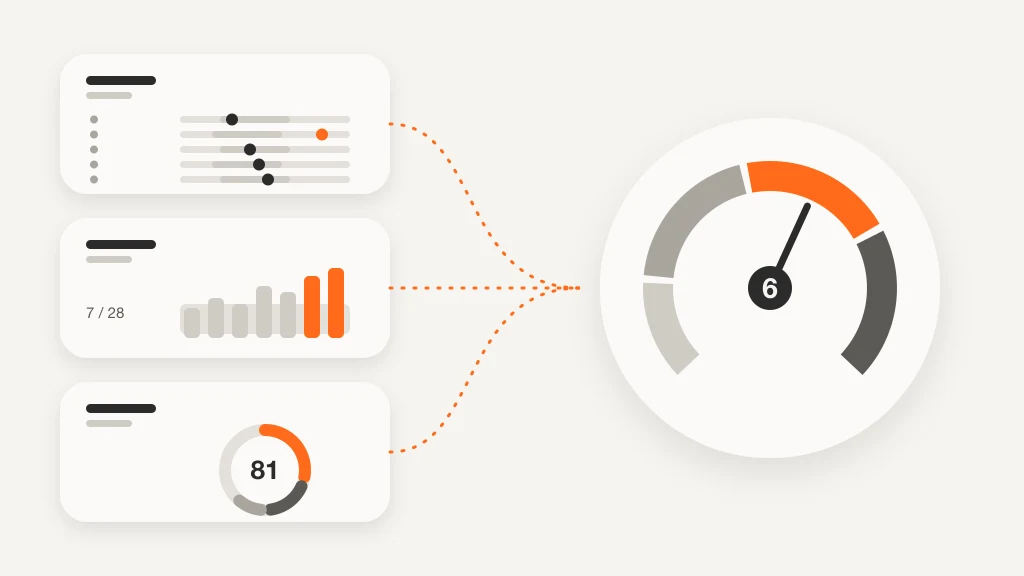
Illustrative scenario. Marco wears an Apple Watch Series 10, so he has no Readiness app. After three weeks of five sessions a week, Training Load reads "above". On Thursday Vitals flags two metrics: overnight heart rate 58 bpm against a typical 50–55, and respiratory rate slightly high. His Sleep Score is 62, where he usually sees 75–85. He had planned 6 × 800 m. Because three signals line up, he swaps it for 40 easy minutes and goes to bed earlier. Two nights later Vitals is back in range and Sleep Score is 81, so he does the intervals on Saturday. Numbers are illustrative.
Action steps
- Check your model: Readiness needs Series 12 or Ultra 4 with watchOS 27; otherwise use Vitals, Training Load and Sleep Score together.
- Turn on sleep tracking and wear the watch to bed for at least a week (charge it earlier in the day) before trusting Vitals ranges.
- Rate your effort after workouts, especially strength and racket sports, and read Training Load weekly rather than daily.
- Each morning, act only when two or more signals shift together, and keep that day easy.
Related guides
- Apple Health and Apple Watch: current MoveVitals options
- Training load explained: TRIMP, TSS, strain and relative effort
- Normal heart rate variability (HRV) by age: RMSSD vs SDNN
- Oura Readiness score: the contributors and how to use them
- Sleep scores compared: Oura, Garmin, Polar, Withings and WHOOP
- Garmin vs Apple Watch for training and health: what each measures best
FAQ
Does Apple Watch have a recovery score? Only as the Readiness app on Series 12 and Ultra 4 with watchOS 27. Other models give Vitals, Training Load and Sleep Score as separate pieces.
Does Apple Watch have Body Battery? No. Body Battery is a Garmin feature. Readiness is the nearest Apple counterpart, but it is a daily 0–10 score, not an energy reservoir that drains and recharges.
Is Apple Watch HRV the same as WHOOP or Oura HRV? Not directly. Apple Health has reported HRV as SDNN, while many other devices use RMSSD. Compare trends within one device.
How is the Apple Watch Sleep Score calculated? From three estimates: duration (up to 50 points), bedtime consistency over recent nights (up to 30) and interruptions (up to 20). Apple labels the total from Very Low (0–40) to Very High (96 and above) and has adjusted the ranges before, so check the labels on your watchOS version.
References
- Apple. Understand your readiness score on Apple Watch. https://support.apple.com/en-us/128112
- Apple. Track your overnight and daytime vitals with Apple Watch. https://support.apple.com/120142
- Apple. Track your training load on Apple Watch. https://support.apple.com/guide/watch/apde4c07a6cf
- Apple. Sleep score on Apple Watch. https://support.apple.com/guide/watch/apded441a669
- Apple Newsroom (2026). Apple advances health and fitness capabilities using Apple Intelligence. https://www.apple.com/newsroom/2026/09/apple-advances-health-and-fitness-capabilities-using-apple-intelligence/
- Soligard et al. (2016). How much is too much? (Part 1) International Olympic Committee consensus statement on load in sport and risk of injury. British Journal of Sports Medicine. https://doi.org/10.1136/bjsports-2016-096581
For general information only. This is not medical advice — talk to a qualified professional about your health.
Keep reading
Devices & setup
How MoveVitals handles multiple devices: provenance, duplicates and conflicts
5 min read
Metrics explained
Normal heart rate variability (HRV) by age: RMSSD vs SDNN
6 min read
Recovery & sleep
Overreaching and overtraining: warning signs and what to do
4 min read
Metrics explained
Resting heart rate: normal ranges and what changes it
4 min read
Devices & setup
Oura Ring and MoveVitals: sleep, readiness and temperature in one place
3 min read
Recovery & sleep
Deload weeks: why planned easy weeks make you fitter
3 min read